



For Enquiry: 93450 45466

Video Editing Course in Chennai

with Placement Support till you get your Dream Job offer!
3792 Ratings
Read Reviews
Google 4.9 ★

Dreaming of becoming a professional video editor? Join the Video Editing Course in Chennai at FITA Academy, ranked as the No 1 Video Editing Training Institute in Chennai, and turn your creativity into a powerful career!

93450 45466
6,812
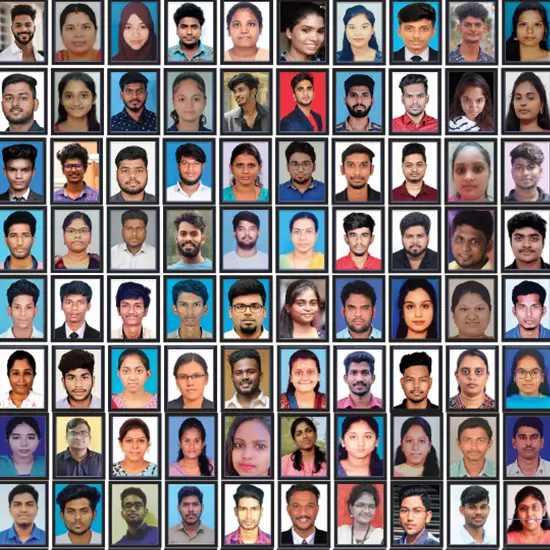
Students Placed Last Year
3,000+
Hiring Partners
REAL-TIME
Industry Experts as Trainers
FREE
Interview Clearing Workshops

Our Video Editing Training in Chennai at FITA Academy offers a comprehensive course covering advanced editing techniques. Guided by trainers with years of industry experience, you will work on hands-on projects to build a strong portfolio. The training includes practical exposure to industry-standard video editing software, color correction, audio editing, motion graphics, and post-production workflows. Learners will also gain exposure to AI-assisted video editing tools and techniques that can support tasks such as content enhancement, workflow automation, and creative production. The course is suitable for aspiring video editors, content creators, and media professionals looking to enhance their editing skills. Our training includes a professional certification and 100% placement support to help you pursue opportunities in media production, digital marketing, advertising, film, and content creation.

Real Students · Real Results

Our Students Success Stories

Career transformations made possible by FITA

Ashish Ashish
From Setback to Fresh Start
Placed at

After leaving a stressful job and facing income loss, life felt uncertain. He focused on gaining skills and secured a stable, promising career in IT.

Purushothaman Purushothaman
From Doubt to First Success
Placed at

Unsure about switching careers, he took the first step. With effort and guidance, he cleared his first interview and moved forward on a better path.

Sharmitha Sharmitha
Success Before Graduation
Placed at

While others waited, she acted early. She completed a technical course alongside her degree and secured her future before stepping out of college.

Sivanadhapandiyan Sivanadhapandiyan
From Struggle to 8 LPA
Placed at

Frustrated with a low salary and limited growth, he took control of his career. By mastering DevOps, he transformed challenges into a rewarding opportunity and built a brighter future.

Transform Your Career with Industry-Ready Skills from FITA

Get trained by experts, work on real-time projects, and secure high-paying job opportunities with dedicated placement support.

Why Learn at FITA Academy?

Empowering students across various fields, we help you enhance your skills and provide unlimited placement support until you land your dream job. Ready to learn and make an impact?

+91 93450 45466
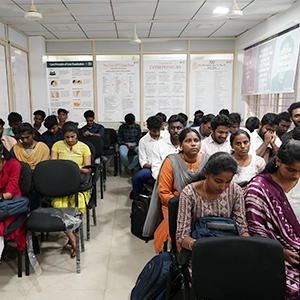
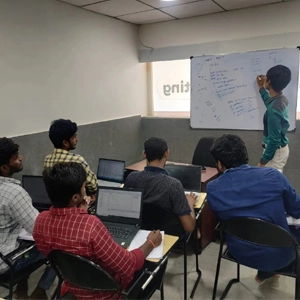
Video Editing Course in Chennai Live Classroom Sessions
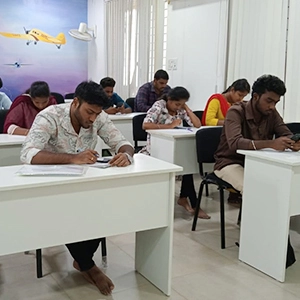
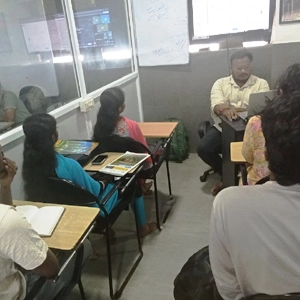
Video Editing Course in Chennai Hands-on Projects
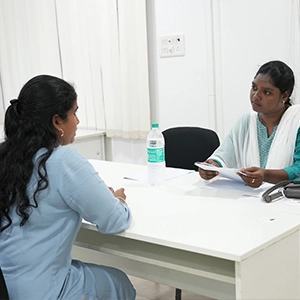
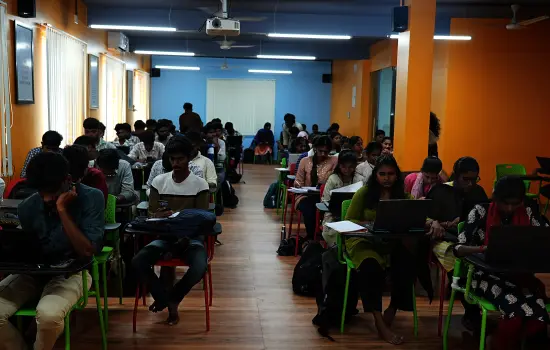
Video Editing Course in Chennai Free Placement Sessions

Free Interview Clearing Workshops

We help you prepare for job placement with mock interviews, aptitude practice, and HR round guidance, so you feel confident and job-ready.

100% Free

Hands-on Capstone Projects

Work on real-world projects using live data and industry tools. By the end of the course, you’ll have a solid portfolio that you can confidently showcase to recruiters.

Portfolio Ready

Real-time Industry Experts as Trainers

Our trainers are working professionals with 8–15 years of experience. They focus on practical knowledge, not just theory, so you learn what’s actually used in the industry today.

Industry Certified

Free Resume Preparation

Get help creating a strong, professional resume that highlights your skills the right way. We make sure it’s a clear, well-structured, and ATS-friendly resume.

ATS Optimised
Course Highlights

Why Video Editing Course in Chennai
at FITA Academy?

Learn Adobe Premiere Pro along with current AI-assisted editing features and workflows under the guidance of certified industry experts.

Our course covers everything from basic cuts to advanced post-production, including video trimming, transitions, audio editing, color correction, captions, and visual effects, with dedicated recap sessions to reinforce your learning.

The curriculum is regularly updated to cover evolving video editing trends, AI-assisted workflows, and current industry practices.

We maintain small batch sizes (5-6 students) to ensure individual attention for every learner.

Choose between online or offline classes with weekday and weekend schedules that fit your routine.

Work on practical editing assignments and real-world projects to build a strong portfolio.

The course is designed to be affordable while maintaining high-quality training standards.

Gain a professional certification and benefit from 100% placement support through our tie-ups with 3,000+ hiring partners.

Ready to start your dream career?

Join thousands of students who've already transformed their careers with FITA Academy.

Enroll Today

Upcoming Batches

Flexible Timings Available Weekday & Weekend batches to suit your schedule
Start Date 10-09-2026
Weekdays
Schedule Thursday (Monday - Friday)
Start Date 12-09-2026
Weekend
Schedule Saturday (Saturday - Sunday)
Start Date 14-09-2026
Weekdays
Schedule Monday (Monday - Friday)
Start Date 17-09-2026
Weekdays
Schedule Thursday (Monday - Friday)

Can't find a suitable batch time?

We'll schedule a batch just for you — at your preferred time and pace.

Classroom
  • Get trained by Industry Experts via Classroom Training at any of the FITA Academy branches near you
  • Why Wait? Jump Start your Career by taking the Video Editing Course in Chennai!
Online
  • Take-up Instructor-led Live Online Training. Get the Recorded Videos of each session.
  • Travelling is a Constraint? Jump Start your Career by taking the Video Editing Course Online!

Video Editing Course Objectives

  • Learn Adobe Premiere Pro, including interface navigation, workspace setup, and basic system settings for smooth editing.
  • Understand the complete video editing workflow, from managing projects and creating sequences to working with non-linear editing techniques.
  • Learn to import, organize, and manage digital assets such as HD videos, Photoshop and Illustrator files, and different audio formats.
  • Develop practical skills with editing tools such as Ripple, Rolling, Slip, and Slide, along with multi-camera editing and efficient scene and media management techniques. 
  • Create engaging videos using motion graphics, keyframes, transitions, and compositing techniques such as Chroma Keying (Ultra Key), with an understanding ofanimation.
  • Work on audio editing, including audio repair and remixing, and improve video quality using color correction and the Lumetri Color panel.
  • Learn to create and manage titles, graphics, motion graphics, and keyframe-based effects for different video projects.
  • Explore AI-assisted video editing features and workflows that can support tasks such as object masking, media search, content enhancement, and faster editing. 
  • Gain hands-on experience with multi-camera editing, video effects, transitions, aspect ratios, and practical workflows used for different types of video content.

Syllabus

Module 1: Adobe Premier Pro – Introduction and Setup

  • Introduction to Video Editing
  • Understanding the importance of Editing
  • Understanding Linear Editing and Non-Linear Editing
  • Introduction to Adobe Premier Pro
  • Advantages, Features of Adobe Premier Pro
  • Understanding Hardware Requirements to setup Adobe Premier Pro
  • Understanding GPU and CPU
  • Learning special GPU features of Adobe Premier Pro
  • Downloading and Installing Adobe Premier Pro
  • Learning to Optimize the System settings
  • Launching Adobe Premier Pro
  • Overview of the User Interface
  • Learning to handle Preferences Settings and Other key settings

Module 2: Adobe Premier Pro – Essentials

  • Understanding Adobe Premier Pro Projects
    • Learning to Open an Existing Project
    • Learning to Create a New Project
    • Exploring Adobe Premier Pro Project components
    • Learning to Move and Delete Projects
    • Handling Multiple Open Projects
    • Learning to use Shortcut keys in a Project
    • Handling Projects of older versions
    • Understanding Project Templates
    • Learning to Export Projects
    • Understanding the Adobe Premier Pro Editing Workflow
    • Understanding Cloud Syncing of Projects
  • Understanding Workspaces and Workflows
    • Understanding the Home Screen
    • Understanding various Panels of Adobe Premier Pro
    • Learning to Navigate in the Home Screen
    • Understanding Workspaces
    • Creating and Saving workspaces
    • Learning to Customize Workspaces
    • Selecting the required Workspace
    • Learning to Modify and Delete Workspaces
    • Working with Panels – Docking, Grouping, Floating
    • Learning to work with Multiple Monitors
    • Exploring more panels – Tools Panel and Options Panel
    • Learning about various Tools in the Tools Panel
    • Working with the Options Panel
    • Understanding Info Panel
    • Learning to Navigate Panels
    • Understanding and using Windows Touch and Gesture Controls
    • Setting up and working with Dual Monitors

Module 3: Adobe Premier Pro – Managing Digital Assets

  • Understanding Assets in Adobe Premier Pro – Video files, Still Images, Audio Files
  • Learning to Capture Videos
    • Understanding Capturing
    • Capturing Videos from Live Camera
    • Capturing Videos from Camcorders
    • Learning to use Adobe OnLocation
    • Learning to Digitize analog videos
    • Learning to handle Capture Settings and Preferences
    • Handling audio while capturing
    • Handling Stereo and Mono Tracks
    • Understanding and using Device Controls
    • Learning to capture HD, DV and HDV Videos
    • Understanding and using Batch Capturing
    • Learning about Recapturing
  • Importing Assets
    • Learning to Transfer Projects between computers
    • Exploring the Transfer Projects Settings
    • Understanding Ingest
    • Learning Ingest Settings
    • Importing Still Images in Adobe Premier Pro
    • Understanding Rendering Time
    • Optimizing still images before import
    • Learning to Import files from Photoshop and Illustrator
    • Handling Layered Files for import
    • Understanding and importing images as image sequences
    • Learning to Import Audio
    • Exploring Import Audio Settings
    • Using Audio CDs for audio
    • Learning to handle Compressed Audio Formats
    • Understanding Audio Sampling Rates
    • Understanding Audio Conforming
    • Learning to Import Assets from other tools – Adobe Audition, Avid,
    • Final Cur Pro
    • Learning the benefits of using Timecode
    • Handling Timecode display formats
    • Learning to Capture Timecode
    • Handling Tiemcode manually
    • Exploring various options and settings for Tiemcode

Module 4: Adobe Premier Pro – Exploring Editing

  • Understanding editing in Adobe Premier Pro
  • Exploring Features, Tools and Options for editing in Adobe Premier Pro
  • Learning to Capture Videos
    • Introduction to Sequences
    • Understanding Sequences in detail
    • Understanding Timeline panels and its importance
    • Learning to navigate the Timeline panel
    • Creating a Sequence
    • Working with Sequence Presets, Settings and Options
    • Exploring Sequence Presets
    • Learning to create custom Sequence Presets
    • Working with Sequence types – Widescreen Sequence, HD Sequence,
    • Mobile device Sequence
    • Learning to handle multiple Sequences
    • Understanding Clips and Adding Clips to Sequences
    • Handling Tracks in Sequences – Audio Tracks and Video Tracks
    • Inserting Clips, Overwriting Clips in a Sequence
    • Learning to Move and Rearrange Clips in a Sequence
    • Learning to use the Razor Tool to Cut or Split Clips
    • Lifting and Pasting Frames in Adobe Premier Pro
    • Understanding and Handling Gaps
    • Learning to Search for a Clip in a Sequence
    • Learning to Group Clips
    • Learning to Enable or Disable Clips and Snap Clips
    • Understanding and using Nested Sequences
    • Learning to Simplify Sequences
    • Working with Rendering and Previewing Sequences
    • Understanding and working with markers
    • Introduction to Scene Detection and its use cases
    • Learning to use Scene Detection
  • Performing Video Editing
    • Understanding Clips in detail
    • Learning about Master or Source Clips, Clip Instance, Sub clips
    • and Duplicate Clips
    • Creating A Subclip from Project Panel and Timeline Panel
    • Adjusting the Start and End timecodes of a Subclip
    • Learning to Convert a Subclip into Master Clip
    • Learning to Trim Clips using the Trim Edit Tool
    • Understanding the Trim Mode Interface
    • Understanding and using the Trim Mode and Trim Monitor
    • Learning In Points and Out Points
    • Understanding and using Edit Points
    • Learning to use Ripple and Rolling Edit Tools
    • Learning to Perform Regular Trim, Ripple Trim and Rolling Trim
    • Working with multiple Edit Points
    • Understanding and performing Slip and Slide Edits
    • Performing J-K-L Dynamic Trim
    • Understanding and performing Asymmetrical Trimming
    • Understanding Merged Clips
    • Performing Edits in Merged Clips and Limitations of Merged Clips
    • Understanding Render and Replace Feature
    • Learning to use the UNDO Command
    • Understanding and using the History Panel and Events Panel
    • Understanding Frame Hold Option
    • Using Frame Hold to Freeze Video Frames
    • Extracting and Exporting a still frame
    • Understanding Aspect Ratios
    • Exploring various Aspect Ratios
    • Understanding Pan and Scan
    • Handling distorted images
  • Performing Audio Editing and handling Audio Effects
    • Understanding Audio in Adobe Premier Pro
    • Understanding Stereo, Mono and 5.1 surround channels
    • Learning about Standard Tracks and Adaptive Tracks
    • Understanding Audio Channels
    • Learning to Mix Audio Tracks and Clips
    • Understanding Audio Data
    • Understanding the Wave form and Viewing Audio Waveform
    • Introduction to the Audio Track Mixer
    • Understanding the Audio Track Mixer Interface and Options
    • Understanding Channel Functions
    • Learning to apply track effects – EQ, Reverb, Panning
    • Performing Volume Level Monitoring while capturing
    • Understanding Scrubbing
    • Handling Gain and Volume in Audio tracks
    • Understanding and Normalizing Audio Tracks
    • Handling Audio in Batches
    • Learning to Edit Audio Tracks
    • Performing Audio Track repairs
    • Learning to Improve Audio Quality
    • Understanding Audio Keyframes and Ducking
    • Understanding and Performing AUDIO REMIX
    • Understanding and using the Audio Clip Mixer
    • Performing Audio Balancing
    • Handling Submixes, downmixing and routing
    • Applying and Handling Audio Effects and Transitions
      • Understanding Audio Effects
      • Performing Amplitude and Compression Effects
      • Performing Delay and Echo Effects
      • Understanding and using various Filter effects
      • Working with Equalizer Effects
      • Handling Modulations
      • Learning to Apply Noise Reduction and Restoration
      • Handling Reverbs and Special filters
      • Handling Time and Pitch Effects
      • Performing Crossfade Transitions
      • Handling Stereo Imagery
  • Understanding and Performing Advanced Editing
    • Understanding Multi camera feeds
    • Understanding Multi Camera Workflow
    • Learning to handle Feature films Editing Workflows
    • Understanding and editing Immersive Video
  • Learning Industry Best Practices for Editing

Module 5: Adobe Premier Pro – Editing Enhancements

  • Understanding Image and Video enhancements
  • Understanding Video Effects and Transitions
  • Working with Video Effects
    • Understanding Effects in Adobe Premier Pro
    • Learning the use cases for Effects
    • Understanding types of effects – Fixed, Standard, Clip-based and Plug-ins
    • Understanding GPU-Accelerated Effects, 32-bit color effects and YUV Effects
    • Exploring the Effects Panel
    • Learning to apply Effects to clips
    • Learning to Enable or Disable Effects
    • Working with the Effects Properties
    • Learning to Remove Effects
    • Understanding Fx Badges
    • Understanding Effects Presets
    • Learning to Apply and Remove Presets
    • Understanding and creating Custom Presets
  • Applying and using various Effects
    • Applying and using the Auto Reframe Effect
    • Understanding and Applying Colour Correction Effect
    • Applying and using the Time Remapping Effect
    • Understanding and using Adjustment Layers
    • Learning to stabilize footage with the Wrap Stabilizer Effect
    • Exploring other commonly used Effects
  • Working with Transitions
    • Understanding Transitions in Adobe Premier Pro
    • Advantages, Features and use cases for Transitions
    • Understanding the Transition Types – Audio, Video and VR Transitions
    • Learning where to place Transitions
    • Understanding Clip handles
    • Learning to apply transitions between two clips
    • Understanding and applying a single sided Transition
    • Understanding and setting Default Transitions
    • Learning to copy and paste Transitions
    • Learning to replace transitions
    • Handling Transitions from the Effects Control Panel
    • Learning to Align Transitions
    • Handling Transitions Duration
    • Handling Transitions Settings
    • Understanding the Morph Cut Transition
    • Applying and using Morph Cut Transition
    • Learning to apply various Transitions
  • Working with Graphics and Title
    • Understanding the importance of Graphics
    • Understanding Graphics Workspace in Adobe Premier Pro
    • Introduction to the Essentials Graphics Panel
    • Understanding the Essentials Graphics Panel
    • Learning the Graphics Components – Text Layer, Shape Layer and Clip Layers
    • Learning to Create Text, Shape and Clip Layers
    • Handling Layers in Groups
    • Understanding and using Styles
    • Handling Text Attributes
    • Learning to Animate Layers and applying Animate Effects
    • Learning to Create and manage Titles
    • Learning to Create and manage Shapes
    • Handling Titles and Shapes Alignments
    • Working with Distributions
    • Learning to apply Text Gradients
    • Understanding and using Responsive Design Features
    • Understanding and using Motion Graphics
    • Learning to handle Motion Graphics Templates
  • Working with Animation and Key Frames
    • Exploring the Animation Features of Adobe Premier Pro
    • Understanding Animation in Adobe Premier Pro
    • Understanding the “change through time” and “Moving object” animation
    • Understanding Keyframes in Animation
    • Planning for an Animation using Keyframes
    • Learning to Add, Select, modify and Delete Keyframes
    • Handling Keyframes from the Effects Control Panel
    • Understanding and handling Keyframe Properties and Keyframe Values
    • Applying Motion effects in Clips
    • Learning to Rotate a Clip
    • Understanding and Optimizing Keyframe automation
    • Optimizing Effects and Keyframes

Module 6: Adobe Premier Pro – Advanced Enhancements

  • Understanding Compositing in Adobe Premier Pro
  • Understanding Color Correction and Grading
  • Working with Compositing
    • Understanding Compositing in detail
    • Learning and use cases and importance of Compositing
    • Understanding Colour Information
    • Understanding the Red, Green and Blue Colour Channels
    • Understanding Alpha Channels and Mates
    • Understanding Straight and Premultiplied Channels
    • Understanding Keying effects
    • Applying Three Keying and Ultra Keying Effects
    • Performing Compositing in Adobe Premier Pro with examples
    • Understanding Masks in Adobe Premier Pro
    • Learning to Create Masks
    • Creating Masks in various shapes
    • Learning to Create free form shapes
    • Learning to Create Complex Angles
    • Learning to modify and Move Masks
    • Understanding and using Mask Settings
    • Learning to Apply Masks with various effects
    • Understanding Mask Tracking
    • Performing Masking and Tracking with examples
    • Understanding and using Blending Modes
  • Working with Colour Correction and Grading
    • Understanding Colour Workspaces
    • Creating and setting up a Colour Workspace
    • Understanding the Colour Correction Workflow
    • Performing basic Colour Corrections – Input LUT, White Balance
    • and Tone corrections
    • Working with Lumetri Colour Panel
    • Understanding and Control Surface Support
    • Understanding and using Lumetri Looks
    • Performing Adjustments with Lumetri Looks
    • Understanding Intelligent Colour Corrections
    • Applying and using Auto Colour in Adobe Premier Pro
    • Performing Colour Correction using RGB and Hue Saturation Curves
    • Understanding and using the Colour Wheel
    • Learning to Match Colours between Shots
    • Understanding Vignettes
    • Understanding the importance of Vignettes in Editing
    • Creating and Applying Vignettes using Masks

Video Editing Course Trainer Profile

  • Hand-picked professionals with over years of industry experience, ensuring top-tier instruction.
  • Mentors stay current with the latest video editing technologies and evolving industry trends.
  • Focus on deep conceptual understanding combined with hands-on projects.
  • Dedicated guidance and recap sessions to help students channel their creativity effectively.
  • Constructive assessment of all assignments to improve each student’s specific challenge areas.
  • Comprehensive support in soft skills, resume building, and expert Interview Questions and Answers.

Quick Enquiry

Please wait while submission is in progress...

100% Placement Support

Learn at FITA Academy & Get Your

Dream IT Job in 60 Days

Join 6,812 successful students who transformed their careers with our industry-expert training last year.

Video Editing Course in Chennai

Student Success Story of Video Editing Course in Chennai

Arjun, a B.Com graduate from Chennai, had always enjoyed watching YouTube videos and Reels. He often wondered how such videos were created and wanted to try editing them himself. However, he had no experience with professional editing software and was unsure where to begin. After graduation, finding a suitable job became difficult, so he decided to learn a practical skill that could help him build a career.

While exploring different training options, he came across FITA Academy’s best video editing course in Chennai. The practical approach and training in tools such as Adobe Premiere Pro and After Effects caught his attention. Since he was looking for an affordable course that would fit his schedule, he chose the weekend batch.

Initially, the software seemed confusing. With regular practice and guidance from the trainers, he gradually became comfortable with timelines, transitions, color grading, audio editing, and other techniques. The practical projects also helped him apply his learning and build a portfolio rather than relying only on theoretical knowledge.

After completing the course, he received his certification and began showcasing his work on Instagram and local Facebook groups. A small YouTube creator from Chennai noticed his videos and offered him ₹5,000 to edit a set of Reels. This first project gave him the confidence to take on more freelance work, including promotional videos for local shops and small businesses.

Over the next few months, he started receiving regular editing projects and earned more than he initially expected as a fresher. He feels that the video editing course in Chennai helped him develop practical skills and the confidence to turn his interest in videos into a career. Today, he is working towards his long-term goal of starting his own small video production studio.


Key Features

FITA Academy empowers individuals with industry-relevant skills through expert-led training, transforming careers with hands-on experience.

Video Editing Course in Chennai

Expert Trainers

Learn from industry professionals with hands-on experience.

Video Editing Course in Chennai

Real-Time Projects

Gain practical exposure by working on live projects.

Video Editing Course in Chennai

Certification

Get certified from FITA Academy and become job-ready.

Video Editing Course in Chennai

Affordable Fees

High-quality courses available at a low budget.

Video Editing Course in Chennai

Flexible Learning

Choose online/classroom, timings, and learning pace.

Video Editing Course in Chennai

Placement Support

Access 3000+ companies for career opportunities.

Upskill at FITA Academy and Get Your Dream Job in 60 days!

Video Editing Course in Chennai
Certification

Why Learn Video Editing Course in Chennai
at FITA Academy?

Live Capstone Projects
Real time Industry Experts as Trainers
Placement Support till you get your Dream Job offer!
Free Interview Clearing Workshops
Free Resume Preparation & Aptitude Workshops
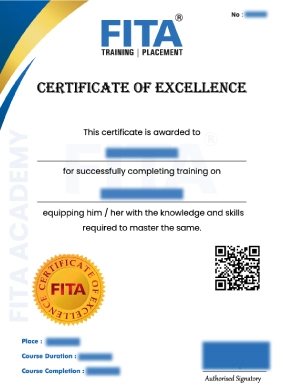
Video Editing Course in Chennai Certification

Video Editing Certification Course in Chennai

Upon the successful completion of your Video Editing Training in Chennai at FITA Academy, you will receive a professional certification. This credential significantly enhances your resume, positioning you as a competent professional ready for leading roles in the media and creative industries.

Key Benefits of FITA Academy Certification

  • Real-World Experience: Gain an edge by working on live projects that simulate a professional working environment, helping you master the skills required for high-level production.
  • Enhanced Resume Value:Add your course certification to your resume to showcase your video editing training and practical skills to potential employers.
  • Faster Career Progression:Build confidence in using modern video editing tools and techniques, supporting your career growth in the creative industry. 
  • Higher Earning Potential: Increase your eligibility for premium, higher-paying roles and significant salary growth.
  • Professional Networking: Build a strong network of industry contacts and peers that will support your long-term career growth.

In addition to validating your technical skills, the Video Editing Certification from FITA Academy showcases your commitment to professional growth and practical expertise. Combined with our hands-on training approach and dedicated placement assistance, the certification helps learners confidently pursue opportunities in video editing, content creation, digital marketing, filmmaking, and media production. 

💬

Have Queries?

Talk to our Career Counselor for more Guidance on picking the right Career for you!

Placement Session & Job Opportunities

After completing Video Editing Course in Chennai

Video Editing Course in Chennai with Placement Support

The demand for skilled video editors continues to grow with the expansion of YouTube, Instagram, OTT platforms, digital advertising, and corporate video content. Businesses, media agencies, production houses, and content creators need editors who can produce engaging videos for different platforms. This has created opportunities for trained professionals with skills in video editing, motion graphics, and post-production.

“We provide 100% placement support until students get their dream job.”

FITA Academy’s Editing Course in Chennai focuses on practical editing skills using tools such as Adobe Premiere Pro and After Effects. Students also learn audio editing, color correction, compositing, motion graphics, and other post-production techniques. Along with technical training, the placement team provides guidance on portfolio development, resume preparation, interview practice, and job opportunities. 

The course can help learners prepare for roles such as Video Editor, Post-Production Editor, Motion Graphics Designer, Social Media Video Editor, and Video Content Creator. These professionals can find opportunities in advertising agencies, film and television production, digital media companies, corporate communications, social media teams, and content studios.

Professionals can also improve their career prospects by developing skills in motion graphics, short-form content, visual effects, and platform-specific video production. With experience and a strong portfolio, video editors can progress to senior editing and creative roles or take up freelance projects. Students interested in film production can also explore the skills covered in a Movie editing course in Chennai, including storytelling, audio editing, color correction, visual effects, and post-production.

Student's Success Story of Video Editing Course in Chennai

N

Nikitha

I always had interest in video editing but didn’t know where to start. FITA Academy’s Editing Institute in Chennai gave me step-by-step guidance. I learned transitions, color correction, and audio syncing properly. My trainer was patient and cleared all my doubts. It was a good learning experience.

A

Arun

I joined the Video Editing Course in Chennai to switch my career into media. My trainer focused more on hands-on training than theory, which I liked. They explained shortcuts, project handling, and client requirements clearly. After the course, I attended interviews with more confidence.

S

Santhosh

This course helped me upgrade my editing skills professionally. I learned how to handle different types of projects like ads and short films. The environment was friendly, and the trainer guided us step by step. I would recommend these Best Editing Courses in Chennai to anyone who wants to learn video editing in a practical way.

Our Students Work at

Video Editing Course in Chennai Reviews
FAQ

Frequently Asked Questions about
Video Editing Course in Chennai

Why should I join Editing Classes in Chennai at FITA Academy?
  • Get trained by industry experts with extensive experience in professional editing.
  • Our Editing course Chennai perfectly balances classroom theory with hands-on practice to give you a full understanding of the craft.
  • Learn current editing techniques and industry-relevant tools used in professional video production.
  • We offer flexible online and offline classes, so you can select a schedule that works best for you. 
  • Gain confidence by working on live projects under the guidance of our professional mentors.
  • Over 1,00,000 successful students who have trusted us with their careers.
  • We provide interview tips and Corporate Training in Chennai.
  • Students also receive 100% placement support to help them prepare for relevant job opportunities. 
Does FITA Academy provide job support after the Film Editing Courses in Chennai?
  • Absolutely! We offer 100% placement support to help you start your career in video editing.
  • We are proud to have strong partnerships with over 3,000+ top companies and MNCs, giving you direct access to excellent job opportunities. 
How can I join the Video Editing Training in Chennai at FITA Academy?

You can easily sign up for the course either online or in person. To register offline, simply visit any of our FITA Academy branches in Chennai. For quick assistance, you can call us at 93450 45466.

Do I need any prior experience to enroll in the Video Editing Training in Chennai at FITA Academy?

There are no prerequisites to join a video editing course in Chennai at FITA Academy. Basic computer knowledge and familiarity with file management, operating systems, and common digital tools can help beginners learn more comfortably.

Where are the FITA Academy branches located in Chennai?

We have 6 convenient centers across the city: Anna Nagar, Velachery, T Nagar, Thoraipakkam, Porur and Tambaram. You are welcome to join our Video Editing Training in Chennai at any of these locations that suits you best.

How many students are in a single batch?

At FITA Academy, we focus on giving every student personal attention to help them reach their full potential. To ensure a high-quality learning experience, we keep our classes small, usually with just 5 to 6 members per batch. This allows our expert trainers to provide individual guidance to everyone.

Will I get enough hands-on practice during the course?

Yes. The course includes hands-on practice using Adobe Premiere Pro, along with practical assignments and editing projects. Learners can build practical skills in video cutting, transitions, audio editing, color correction, effects, and other post-production techniques.

How long has FITA Academy been in the industry, and what is your track record with students?
  • Established in 2012 by IT veterans, FITA Academy has been providing professional training for students and working professionals. 
  • We have successfully trained more than 1,00,000 students, helping both freshers and working professionals achieve their career goals. 
How can I pay the course fees?
  • UPI
  • Card
  • Bank Transfer
Who will be teaching me during the Video Editing course?

You will be mentored by certified industry experts with over 10 years of professional experience. Trainers focus on hands-on learning and guide learners through practical assignments, projects, and current video editing practices. 

General Q & A

General Q & A about
Video Editing Course in Chennai

What are the Video Editing course in Chennai fees?

The cost of video editing classes in Chennai can be anywhere from ₹15,000 to ₹50,000, depending on the duration and level of instruction.

Can I learn video editing in 3 months?

Yes, with dedication and regular practice, you can gain a strong understanding of video editing basics and build the skills required for entry-level editing work within 3 months.

Is video editing high-paying?

Video editing can offer good earning potential, but salaries vary based on experience, technical expertise, portfolio quality, location, and the type of projects handled. Professionals with advanced skills in areas such as motion graphics, visual effects, color grading, and post-production can explore better-paying opportunities.

Can AI replace video editors?

No, AI is developing into a powerful collaborative tool rather than replacing skilled video editors. Technical and repetitive tasks can be automated by AI, but creative decision-making, storytelling, emotional understanding, and visual judgment remain important aspects of video editing.

Do you need math for video editing?

No advanced mathematics is required for video editing. Basic calculations may be useful for tasks such as timing, aspect ratios, frame rates, and project planning.

How do I start a career in editing?

Start by learning video editing software, practicing on real projects, and building a portfolio. You can then apply for internships, freelance projects, or entry-level roles in media, advertising, content creation, and film production. Aspiring YouTubers, content creators, and beginners interested in a YouTube video editing course in Chennai can benefit from FITA Academy’s training.

How do I start learning video editing?

Begin with fundamental video editing concepts such as cutting, transitions, audio editing, color correction, and visual effects. Joining a structured training program and working on practical projects can help you build skills faster.

What qualifications are required for video editing?

There are no mandatory qualifications for learning video editing. Anyone with an interest in visual storytelling, creativity, and digital media can start learning and build their skills through training and practice.

Which software is mainly used for video editing?

Popular video editing software includes Adobe Premiere Pro, Adobe After Effects, DaVinci Resolve, Final Cut Pro, Avid Media Composer, and Filmora. The right software depends on the type of projects you work on and your level of expertise. Learners interested in an FCP editing course in Chennai can develop practical skills in Final Cut Pro alongside other industry-used video editing software.

Is editing a good career?

Editing is a fulfilling profession, particularly in the digital media, entertainment, and business industries because of its high demand in the sector. The profession is associated with prospects for career advancement and earning good money, but it is a very competitive one requiring continuous skill acquisition, particularly in the advent of artificial intelligence technology.

What skills are required to become a video editor?

Important skills are expertise in video editing software, the ability to narrate, audio editing, color grading, motion graphics, special effects, and an understanding of basic video formats and processes. Creating a good portfolio using practical exercises will enhance job prospects.

Can I join an editing class in Chennai without any prior experience?

Yes, one can learn video editing without having any previous professional knowledge. A structured course can help you learn the basics from scratch and gradually develop your editing skills through practice and projects.
Video Editing Course in Chennai

Ready to Start Your Career?

Get expert guidance and land your dream job with FITA Academy.

93450 45466
×