For Enquiry: 93450 45466

Advanced Excel Training in Chennai

with Placement Support till you get your Dream Job offer!
3712 Ratings
Read Reviews
Google 4.9 ★

Master Excel like a pro with Advanced Excel Training in Chennai at FITA Academy, recognized as the No 1 Excel Training institute in Chennai to gain hands-on expertise, industry-relevant skills, and real-time project experience. Join now and upskill!

93450 45466
6,812
Students Placed Last Year
3,000+
Hiring Partners
REAL-TIME
Industry Experts as Trainers
FREE
Interview Clearing Workshops

Our Excel Course in Chennai will help you gain knowledge of Excel fundamentals, data visualization, data validation, page setup and security, advanced Excel, advanced formatting, pivot tables, auditing worksheets, advanced data tools, Excel macros, and VBA programming. Workshops and practical projects are part of our curriculum. Our Excel Course uses data organisation techniques and contemporary methods. Professionals and data analysis experts created our course to meet industry standards. You will learn to use the Microsoft Excel Office suite throughout the course, from the basics to the more advanced features, and you can effectively evaluate data at various levels.

Real Students · Real Results

Our Students Success Stories

Career transformations made possible by FITA

Ashish Ashish
From Setback to Fresh Start
Placed at

After leaving a stressful job and facing income loss, life felt uncertain. He focused on gaining skills and secured a stable, promising career in IT.

Purushothaman Purushothaman
From Doubt to First Success
Placed at

Unsure about switching careers, he took the first step. With effort and guidance, he cleared his first interview and moved forward on a better path.

Sharmitha Sharmitha
Success Before Graduation
Placed at

While others waited, she acted early. She completed a technical course alongside her degree and secured her future before stepping out of college.

Sivanadhapandiyan Sivanadhapandiyan
From Struggle to 8 LPA
Placed at

Frustrated with a low salary and limited growth, he took control of his career. By mastering DevOps, he transformed challenges into a rewarding opportunity and built a brighter future.

Transform Your Career with Industry-Ready Skills from FITA

Get trained by experts, work on real-time projects, and secure high-paying job opportunities with dedicated placement support.

Why Learn at FITA Academy?

Empowering students across various fields, we help you enhance your skills and provide unlimited placement support until you land your dream job. Ready to learn and make an impact?

+91 93450 45466
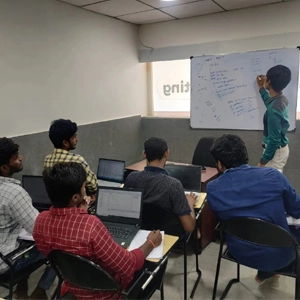
Advanced Excel Training in Chennai Live Classroom Sessions
Advanced Excel Training in Chennai Hands-on Projects
Advanced Excel Training in Chennai Free Placement Sessions

Free Interview Clearing Workshops

We help you prepare for job placement with mock interviews, aptitude practice, and HR round guidance, so you feel confident and job-ready.

100% Free

Hands-on Capstone Projects

Work on real-world projects using live data and industry tools. By the end of the course, you’ll have a solid portfolio that you can confidently showcase to recruiters.

Portfolio Ready

Real-time Industry Experts as Trainers

Our trainers are working professionals with 8–15 years of experience. They focus on practical knowledge, not just theory, so you learn what’s actually used in the industry today.

Industry Certified

Free Resume Preparation

Get help creating a strong, professional resume that highlights your skills the right way. We make sure it’s a clear, well-structured, and ATS-friendly resume.

ATS Optimised
Course Highlights

Why Advanced Excel Training in Chennai
at FITA Academy?

Expertly designed Advanced Excel Course curriculum to meet global industry requirements.

Courseware enables students to learn the essentials of Excel, including functions and formulas, pivot tables, and data visualization.

Certified Excel trainers guide students throughout the course in using Excel spreadsheets efficiently.

With the goal of offering the best Advanced Excel training in Chennai, we equip you with everything from the basics to advanced Excel skills.

A recap of the previous Excel classes is provided to reinforce your understanding.

The Advanced Excel training in Chennai price at FITA Academy is reasonable, and students receive certification upon completing the Excel course.

Different Excel Course batch options - Weekday and Weekend to attend our Excel Training Chennai at FITA Academy.

FITA Academy offers 100% Placement assistance for all students.

FITA Academy has Placement tie-ups with more than 3,000 companies, including small, medium, and large organizations.

Excel Training Institute in Chennai at FITA Academy has an active placement cell that helps students secure their ideal careers.

Ready to start your dream career?

Join thousands of students who've already transformed their careers with FITA Academy.

Enroll Today

Upcoming Batches

Flexible Timings Available Weekday & Weekend batches to suit your schedule
Start Date 20-08-2026
Weekdays
Schedule Thursday (Monday - Friday)
Start Date 22-08-2026
Weekend
Schedule Saturday (Saturday - Sunday)
Start Date 24-08-2026
Weekdays
Schedule Monday (Monday - Friday)
Start Date 27-08-2026
Weekdays
Schedule Thursday (Monday - Friday)

Can't find a suitable batch time?

We'll schedule a batch just for you — at your preferred time and pace.

Classroom
  • Get trained by Industry Experts via Classroom Training at any of the FITA Academy branches near you
  • Why Wait? Jump Start your Career by taking the Advanced Excel Training in Chennai!
Online
  • Take-up Instructor-led Live Online Training. Get the Recorded Videos of each session.
  • Travelling is a Constraint? Jump Start your Career by taking the Excel Course Online!

Excel Classes Course Objectives

  • Learn about Excel versions, key terms, and how to navigate the interface.
  • Create spreadsheets, enter and structure data into tables, and format cells effectively.
  • Use basic arithmetic formulas and understand cell references; explore functions such as SUM, AVERAGE, COUNT, and others.
  • Apply advanced Excel formulas and functions, including IF, SUMIF, COUNTIF, LOOKUP, VLOOKUP, HLOOKUP, financial functions, and formulas across multiple worksheets.
  • Sort, filter, group data, and use charts for visual representation.
  • Create advanced visualizations using Treemaps, Sunburst, Histogram, Waterfall, Box and Whisker charts, Pareto charts, and Sparklines. 
  • Work with sparklines, illustrations, conditional formatting, and data validation techniques.
  • Analyze and summarise large datasets using Pivot Tables, Pivot Charts, Slicers, Timelines, and advanced filtering techniques. 
  • Set up page layouts, headers/footers, and learn about workbook sharing and security.
  • Use pivot tables, slicers, Power Pivot, Power Query, and macros for analysis and automation.
  • Get introduced to VBA, write basic programs, design forms, and apply all skills in a real-time project.

Excel Classes Course Syllabus

Microsoft Excel - Introduction to Microsoft Excel

  • About Microsoft Excel
  • Various versions of Microsoft Excel

Excel Fundamentals

  • Understanding the Excel Worksheet
  • Key terms used in Excel
  • Creating an Excel File
  • Entering Data and creating a Table
  • Navigation in Excel
  • Formatting Cells
  • Changing Fonts and Font Size
  • Changing Text Color
  • Applying Font Styles
  • Rotating Texts
  • Applying Borders
  • Filling Series
  • Formulas in Excel
  • Creating Simple formulas – Add, Subtract, Multiply and Divide
  • Absolute Cell Reference and Relative Cell Reference
  • Impact of Absolute and Relative Cell References in Formulas
  • Working with Rows and Columns – Inserting, Deleting, Hiding, Unhiding Rows and Columns
  • Formatting Rows and Columns
  • Freezing Rows and Columns
  • Splitting Windows
  • Copy, Paste and Paste Special
  • Understanding Transpose
  • Define Names and Labels

Working with Basic Functions

  • Understanding Functions in Excel
  • Working with Functions
  • Mathematical Functions
  • SUM Function
  • ROUND Function
  • SUBTOTAL Function
  • Working with Basic Statistical Functions
  • COUNT, COUNTA, AVERAGE, MAX, MIN, MEDIAN, MODE Functions
  • Working with Logical Functions
  • IF and Nesting IF Functions
  • Using Logical Operators such as AND, OR, NOT in Functions
  • SUMIF and COUNTIF Functions
  • Working with Text Functions
  • MID, SEARCH, LEFT, RIGHT, TRIM, CLEAN, UPPER, LOWER, PROPER Functions
  • Working with Date and Time Functions
  • TODAY, NOW and DATE, DATEDIF, NETWORKDAYS, EOMONTH Functions

Sorting and Filtering Data

  • Understanding Sorting
  • Sorting by Single Column
  • Sorting by Multiple Columns
  • Sorting for Specific Words
  • Sorting based on Dates
  • Applying Filters
  • Understanding how to Use Filters
  • Applying Multiple Filters
  • Clearing Filters

Grouping Data

  • Understanding and working with Subtotals
  • Working with Nested Subtotals
  • Grouping Rows with Outline
  • Grouping Columns with Outline
  • Auto Outline
  • Ungrouping data

Data Visualization - Basics

  • Understanding Charts
  • Common Chart types in Excel
  • Adding data to Chart
  • Adding Titles, Labels, and Legends
  • Working with Data Series
  • Adding, Renaming and Deleting Data Series
  • Creating and Managing Column Charts
  • Creating and Managing Bar Charts
  • Creating and Managing Pie Charts
  • Creating and Managing Line Charts

Formatting Data Series

Data Validations - Basics

  • What is Data Validation
  • Why Validate Date
  • Handling Data Validation in Excel ∙ Providing Input Messages
  • Creating Error Alerts
  • Using Operators to Control Input Data
  • Creating and managing Dropdown Lists
  • Applying Conditional Formatting

Page Setup and Security

  • Understanding Page Layouts
  • Page Setup Options
  • Handling Headers and Footers
  • Fitting Data to a Page
  • Sharing Workbooks

Advanced Excel - Working with Advanced Formulas

  • Using Named Ranges in Formulas
  • Naming a Single Cell and Range of Cells
  • Naming Multiple Single Cells Quickly
  • Using Formulas Spanning Multiple Worksheets
  • Using the IF Function
  • Using AND/OR Functions
  • Using the SUMIF, AVERAGEIF, and COUNTIF Functions ∙ Using the PMT Function
  • Working with the LOOKUP, VLOOKUP and HLOOKUP Functions ∙ Understanding and Creating Scenarios
  • Working with the Watch Window
  • Consolidating Data in Excel
  • Understanding and using Iterative Calculations
  • Exploring What-IF Analysis
  • Using the Scenario Manager
  • Understand various Financial Functions
  • Understanding and Using the new Quick Analysis Tool

Working with Lists

  • Converting a List to Table
  • Removing Duplicates from a List
  • Sorting Data in a List
  • Filtering Data in a List
  • Adding Subtotals
  • Grouping and Ungrouping Data in List

Working with Illustrations

  • Advantages of using Illustrations
  • Working with Clip Art
  • Using Shapes
  • Working with SmartArt

Data Visualization - Advanced

  • Overview of Data Visualization
  • Advantages of Data Visualization
  • Understanding and working with Charts
  • Creating a Custom Chart Template
  • Inserting Charts
  • Adding and Formatting Objects
  • Inserting Text in Charts
  • Working with Advanced Features
  • New Chart Formats -Treemaps, Sunburst, Histogram, Waterfall, Box, and Whisker, Pareto
  • Introduction to Sparklines
  • Advantages of Sparklines
  • Inserting and Managing Sparklines

Working with Tables

  • Formatting data as a Table
  • Move between Tables and Ranges
  • Modify Tables
  • Define Titles

Advanced Formatting in Excel

  • Understanding and Applying Conditional Formatting
  • Using and Working with Styles
  • Creating and Modifying Templates

Working with Pivot Tables

  • Understanding Pivot Tables
  • Creating a Pivot Table
  • Working with Column and Row Labels
  • Formatting a Pivot Table
  • Inserting Slicers
  • Working with Pivot Tables
  • Inserting Pivot Charts
  • More Advanced Functionality
  • PivotTable Updates
  • Using Slicers to Filter data
  • Multi-Select Option in Slicers
  • PivotTable Timeline
  • Creating a Standalone PivotChart
  • Workspaces in Excel 2013
  • Using External Data Source

Auditing Worksheets

  • Uses of Auditing Worksheets
  • Tracing Precedents
  • Tracing Dependents
  • Showing Formulas
  • Tracking Changes
  • Protecting Worksheets and Workbooks

Working with Data Tools

  • Converting Text to Columns
  • Linking to External Data
  • Controlling Calculation Options
  • Data Validation
  • Consolidating Data
  • Goal Seek

Advanced-Data Tools

  • Introduction to Power Pivot
  • What is Power Pivot Tool
  • Enabling Power Pivot Add-on
  • Adding Data
  • Creating and Managing Relationships
  • Working with Calculated Columns
  • Introduction to Power Query
  • What is Power Query
  • Enabling Power Query Add-on
  • Working with Power Query to Import Data from various sources ▪ Managing Data using Power Query
  • Introduction to Power Maps
  • What is Power Maps
  • Creating and Managing Power Maps

Macros in Excel

  • Overview of Macros
  • Advantages of using Macros
  • The necessity for simple task automation
  • Introduction to VBA
  • Recording Macros
  • Running Macros
  • Editing Macros
  • Adding Macros to the Quick Access Toolbar

Introduction to VBA

  • What is Visual Basic for Applications (VBA)
  • Understanding VBA
  • The Visual Basic Editor
  • Working with VB Editor
  • Major Modules in VBA Editor
  • Understanding the code behind recorded Macros

VBA Programming

  • Variables
  • Data types in VBA
  • Understanding Operators
  • Understanding Arrays
  • Creating a Simple VBA Program
  • Running VBA Program
  • Tools to effectively run Macros

Control Flow and Loops

  • Using IF, If Else, Else If, Else and Endif ∙ Understanding Select Case
  • Understanding Loops – Do While, Do Until Loop ∙ Understanding For and Next Loop
  • Using Exit Statements

Procedures and Functions

  • Understanding Procedures and Sub Procedures
  • Creating and Managing Functions
  • Pass parameters by Value to Functions
  • Pass parameters by Reference to Functions
  • Working with Custom Functions

Creating User Interaction in VBA

  • Creating Message Boxes
  • Creating Dialog Boxes
  • User form Basics and Designing user Forms ∙ Getting Familiar with user Form Controls
  • Accessing the Macro through user Form ∙ Linking one Forms

Handling External Connectivity

  • Connecting to Database

Handling Security

Real-Time Project

Excel Classes Course Trainer Profile

  • Our Excel Trainers are highly skilled in industry-relevant skill sets as they are software development and IT experts.
  • The Instructors provide personalized attention to every student throughout the Excel Course.
  • The Trainers deliver immersive training in current industry practices.
  • FITA Academy’s Excel Trainers provide a balanced mix of practical and theoretical Excel Spreadsheet concepts to ensure students acquire fundamental knowledge.
  • The Trainers actively support students in crafting professional resumes, boosting their confidence with valuable interview insights.
  • FITA Academy’s Excel Trainers boast a proven track record of success in their respective fields, offering students the benefits of their expertise and experience.
  • The Instructors of Excel Classes Chennai also provide valuable insights regarding interview questions and facilitate mock interview sessions.

Quick Enquiry

Please wait while submission is in progress...

100% Placement Support

Learn at FITA Academy & Get Your

Dream IT Job in 60 Days

Join 6,812 successful students who transformed their careers with our industry-expert training last year.

Advanced Excel Training in Chennai

Student Success Story of Advanced Excel Training in Chennai

Divya, a recent B.Com graduate, was looking for jobs in the admin department. However, she faced several rejections due to her lack of relevant skills. Excel knowledge was required in the interviews she attended, so she decided to learn an Excel Course in Chennai.

She discussed her options with friends while searching for the Best Excel Training in Chennai. One of her friends suggested FITA Academy, so she contacted the institute and enquired about the course details. After being satisfied with the course structure, she enrolled in the Excel Course and attended each session diligently.

During the training, Divya completed the capstone projects successfully and gained practical knowledge of Excel. She also participated in placement preparation sessions, where she practiced Excel-based tasks and common interview questions, which improved her confidence.

With her newly developed skills, Divya attended an interview and received an offer from HCL for an admin role with a salary package of 2.2 LPA. The training helped her overcome her skill gap and take a confident step toward building her career.

Key Features

FITA Academy empowers individuals with industry-relevant skills through expert-led training, transforming careers with hands-on experience.

Advanced Excel Training in Chennai

Expert Trainers

Learn from industry professionals with hands-on experience.

Advanced Excel Training in Chennai

Real-Time Projects

Gain practical exposure by working on live projects.

Advanced Excel Training in Chennai

Certification

Get certified from FITA Academy and become job-ready.

Advanced Excel Training in Chennai

Affordable Fees

High-quality courses available at a low budget.

Advanced Excel Training in Chennai

Flexible Learning

Choose online/classroom, timings, and learning pace.

Advanced Excel Training in Chennai

Placement Support

Access 3000+ companies for career opportunities.

Upskill at FITA Academy and Get Your Dream Job in 60 days!

Advanced Excel Training in Chennai
Certification

Why Learn Advanced Excel Training in Chennai
at FITA Academy?

Live Capstone Projects
Real time Industry Experts as Trainers
Placement Support till you get your Dream Job offer!
Free Interview Clearing Workshops
Free Resume Preparation & Aptitude Workshops
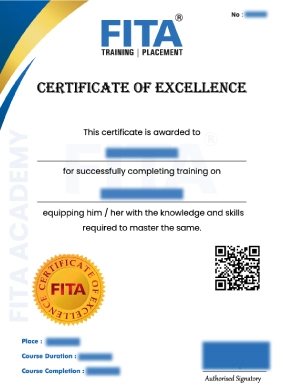
Advanced Excel Training in Chennai Certification

Advanced Excel Certification Training in Chennai

Acquiring certification in Excel courses at FITA Academy validates a candidate’s strong command of Microsoft Excel spreadsheets. This credential is earned through practical, hands-on training, proving the learner’s ability to apply Excel in real-world scenarios. Featuring this certification on a resume showcases a candidate’s dedication to continuous learning and technical expertise, offering a clear edge during job interviews. Especially in roles involving data analysis, reporting, or administrative tasks, this certification can significantly boost career prospects. A Certificate in Advanced Excel Courses not only strengthens foundational skills but also opens doors to specialized positions. Widely recognized by employers, Excel Course Certification enhances any professional profile.

FITA Academy offers an Advanced Excel Certification Course in Chennai covering the essential Excel skills for a professional work environment. The course combines practical exercises, real-time business scenarios, and industry-relevant Excel techniques to help learners apply their knowledge effectively. Experienced trainers at our Excel classes in Chennai provide guidance throughout the learning process, helping students understand Excel concepts and apply them to practical workplace requirements. 

The training focuses on developing practical skills and knowledge that learners can apply in professional settings. Under the guidance of experienced trainers, students receive high-quality education that enables them to attain the necessary expertise. The course includes hands-on projects, real-time business scenarios, and advanced functions like VLOOKUP, PivotTables, Macros, and Data Visualization techniques. With flexible batch options and placement support, FITA Academy ensures every student is well-prepared for the corporate world.

Benefits of taking Advanced Excel Training at FITA Academy

  • Industry-Relevant Skills: Gain in-demand Excel skills like VLOOKUP, PivotTables, Macros, and Data Analysis used across industries.
  • Hands-On Learning: Benefit from practical training with real-time projects guided by expert trainers. Experienced trainers guide you with step-by-step instruction, ensuring you understand each concept thoroughly.
  • Placement Assistance: Receive dedicated support for resume building, mock interviews, and job placement. We have tie-ups with 3,000 companies to help students secure relevant job roles.
  • Certification Support: Get guidance to earn Advanced Excel certifications that validate your skills globally.
  • Affordable Cost: Our Advanced Excel courses are budget-friendly, making them accessible to students, freshers, and working professionals looking to upskill.
  • Flexible Batch Timings: Choose class schedules that fit your routine. Whether you prefer weekday or weekend, flexible options are available to match your availability.
💬

Have Queries?

Talk to our Career Counselor for more Guidance on picking the right Career for you!

Student's Success Story of Advanced Excel Training in Chennai

S

Subashini B

I had a great learning experience at FITA Academy’s Excel Training. The trainer explained everything patiently, and the practical classes helped me gain much better knowledge of Excel.

G

Gokul A

I completed my Advanced Excel Course in Chennai at FITA and was very satisfied with the training. The regular practice sessions helped me gain a strong understanding of Excel, even though I had no prior knowledge. I would recommend FITA Academy for Advanced Excel Training to my friends.

S

Shanthi Pandian

My training experience at FITA’s Excel Training was excellent. The trainers explained Pivot Tables, charts, and formulas clearly with practical examples. I am happy I chose FITA Academy for Excel Training.

V

Vasudeva R

I had a very good experience with FITA’s Advanced Excel Training, with a curriculum aligned with current market needs and completed on time. The friendly support team also helped schedule my missed sessions conveniently. I strongly recommend FITA Academy for beginners learning Excel.

Our Students Work at

Advanced Excel Training in Chennai Reviews
FAQ

Frequently Asked Questions about
Advanced Excel Training in Chennai

Why do students opt for FITA Academy for an Excel Course in Chennai?
  • Excel Training Institute in Chennai provides the right mix of theory & practical sessions.
  • Comprehensive Coverage of Excel Course with 60+ Hours.
  • More than 1,00,000 students trust FITA Academy.
  • Reasonable Advanced Excel course fees in Chennai, keeping the students and IT working professionals in mind.
  • The MS Excel Training in Chennai timing is assigned to suit the flexibility of the Students and Working Professionals.
  • Interview Tips and Resume Building Support.
  • Real-time Web Designing Projects and Case Studies.
  • We also offer Corporate Training in Chennai.
Is a job placement offered by FITA Academy when one completes the Advanced Excel Course in Chennai?
  • FITA Academy has a placement network of 3000+ small, medium, and large-scale companies. 
  • Excel Training Institute in Chennai offers placement support. 
  • The Placement cell helps students practice interviews and group discussions on Advanced Excel Interview Questions & Answers.
How can one apply for an Excel Course at FITA Academy?

For queries about MS Excel course fees in Chennai or to enroll with us, you can contact us via the support number or visit any of our branches by searching for “advanced Excel course near me”.

When did FITA Academy begin its IT Training? And so far, how many students have been trained by FITA Academy?
  • IT professionals established FITA Academy in 2012 to deliver high-quality IT training. It's been 12 years since we entered this training field.
  • More than 1,00,000 students and several working professionals have been trained to date.
How many students are in each batch for the Excel Course at FITA Academy, and can I receive practical training for the Advanced Excel Course?
  • Personal attention has been provided to all our students. The size of the Advanced Excel Training class has been adjusted in such a way that there are only 5-6 students in a single batch.
  • FITA Academy’s Best Excel Training Institute in Chennai delivers practical training to students, with industry case studies and real-time projects.
Are the Excel course trainers well-equipped at FITA Academy?

Our trainers are experts in IT. All the members of the Training Faculty of FITA Academy are IT Professionals who train the students in Practical Training on Advanced Excel Training offered at FITA Academy.

What are the various payment methods accepted at FITA Academy?

We accept the following payment options: card, Bank Transfer, and UPI.

What is the eligibility to join the Excel Classes?
There is no eligibility to join the Excel Classes Chennai. Students from any background can join the course.
What are the training options available at FITA Academy to learn the Excel Course in Chennai?

FITA Academy offers flexible weekday and weekend training options, allowing students and working professionals to choose a schedule that suits their availability.

How to compensate for the missed classes of Excel Classes Chennai?

Students can contact our support team at the number on our website or submit a request in person to reschedule their classes. Upon receipt of the request, our team will promptly schedule makeup classes for any missed sessions.

Does FITA Academy offer practical experience with projects in its Advanced Excel training course?

Indeed, FITA Academy provides hands-on project experience to build practical skills in Excel and data analytics. This approach enhances your understanding of actual, everyday applications, which is why we are recognized as one of the Top 10 Advanced Excel Training Institute in Chennai.

General Q & A

General Q & A about
Advanced Excel Training in Chennai

What is the cost of Advanced Excel training?

Excel training costs vary based on several factors, including the training center you select, the course level (basic or advanced), and the delivery method (online or offline). An Excel course typically costs Rs. 10,000 to Rs. 30,000.

Is an Excel course difficult to learn?

For beginners with no prior experience in data management or spreadsheets, mastering Excel can be challenging. Nonetheless, grasping the fundamentals is an initial, manageable step. Online courses can provide employees with a thorough understanding of Excel basics within just a few hours.

Is Excel worth learning?

Yes, it is still worth learning Microsoft Excel. Despite the rise of other data analytics tools, Excel remains a popular choice for data management and analysis due to its solid design, reliability, and functionality.

Is Advanced Excel in demand?

Yes, Advanced Excel is still a very important knowledge set within areas such as accounting, management, sales, logistics, human resources, and data analytics, where professionals apply advanced formulas, PivotTables, dashboards, and automation to handle data effectively.

Does Excel have a future?

Yes, Excel is evolving with more features for data analysis, automation, collaboration, and artificial intelligence. The use of Excel in business organizations has made it an office tool that needs to be learned in the upcoming years.

Is an Excel course good for CV?

Yes, an Excel course is great for a CV because proficiency in Microsoft Excel is a highly sought-after and useful skill in many fields, including finance, HR, and data analysis. It emphasizes important skills such as data management, analysis, and attention to detail, which helps your resume be different and improves your chances of getting hired.

What is basic Excel training?

Basic Excel training includes learning how to use the interface, enter and format data, use basic formulas like SUM, AVERAGE, MIN, and MAX, make simple charts, and organize data (sort/filter) so that you may effectively manage and analyze information for reports and everyday chores.

Is Excel a high paying job?

Yes, advanced Excel skills can lead to specialized, high-paying roles, particularly when paired with financial modeling or data analysis skills.

What is the difference between Excel and Advanced Excel?

Excel is often utilized for inputting data, formatting, basic calculations, and reporting. In Advanced Excel, there are more complicated formulas that include VLOOKUP, INDEX MATCH, PivotTables, analysis, and automation via macros.

Will AI replace Excel?

AI will not completely replace Excel. Rather, AI features can assist users in data analysis, formula generation, pattern identification, and task automation, while Excel remains popular for use in spreadsheets, reporting, and data analysis.

What is VLOOKUP in Excel?

The VLOOKUP operation in Excel looks for a particular value in a table's first column and returns a value from the same row in a different column. It is helpful for activities such as finding employee names by ID or looking up prices by product ID, as it can retrieve data from a table or range based on a lookup value.

Can I use Python in Excel?

Yes, the Microsoft 365 package includes Python in Excel, so it is possible to integrate both Python and Excel sheets in data analysis.

Is Excel a coding language?

No, Excel is not a programming language but an application used for spreadsheets. But the good thing is that it can support formulas, functions, and automation with the help of VBA and other similar utilities.

What are the benefits of learning Advanced Excel?

The Advanced Excel course equips professionals to handle big data, automate routines, generate reports and dashboards, and analyze business data. These skills are relevant in many fields, including finance, human resources, administration, sales, and any area where data is involved.

Can freshers learn Advanced Excel?

Yes. Beginners may still learn Advanced Excel without any work experience. With the basics of Excel and learning advanced formulas, Pivot Tables, graphs, data analysis, and automation, one can acquire useful skills for real-world situations.

What career opportunities are available after learning Advanced Excel?

Competence in advanced Microsoft Excel can help you pursue career paths in the positions of MIS Executive, Reporting Executive, Data Analyst, Financial Analyst, Business Analyst, and Operations Executive. This depends on your qualifications and other capabilities.
Advanced Excel Training in Chennai

Ready to Start Your Career?

Get expert guidance and land your dream job with FITA Academy.

93450 45466

Other Cities

×